

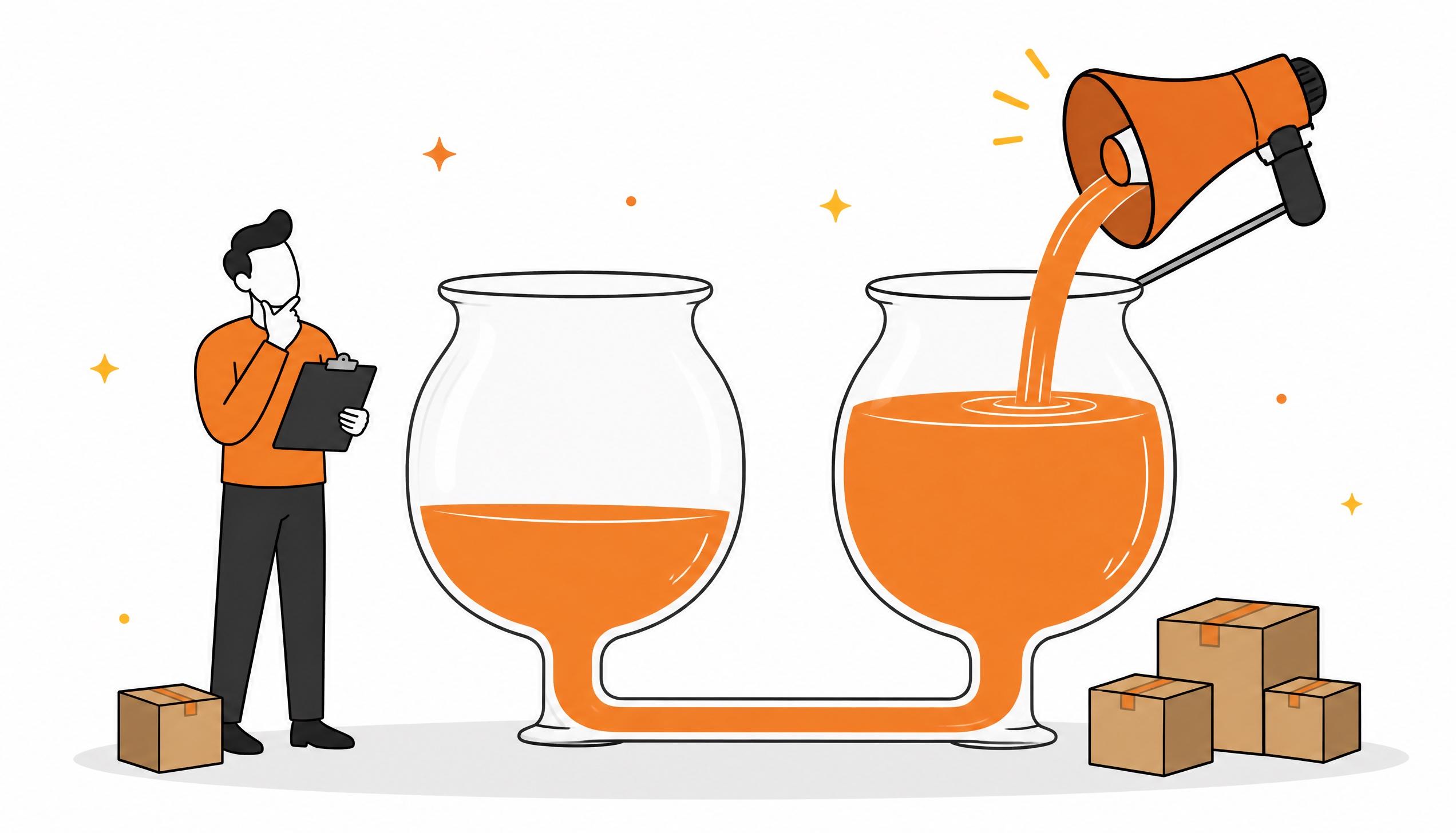
If a campaign shows a good ACOS but the product's total sales stay flat, your ads are probably taking purchases you would have made anyway through organic results. For sellers, Amazon credits a Sponsored Products ad with any purchase made within 7 days of the click, without asking whether the shopper would have bought anyway. To know whether advertising adds sales, look at the product's Ordered revenue, which covers organic and advertising together, and compare the period before and after the change to your campaigns.
Why a good ACOS can mislead you
On its attribution help page, updated on 20 October 2026, Amazon Ads sets out the rules for Sponsored Products. For sellers the lookback window is 7 days, only clicks count and the sale goes to the last click. Attributed sales also include any other product you sell, if the shopper buys it after the click. For vendors the window is 14 days. Attribution tells you which ad the shopper clicked last before buying, but not whether they would have bought without it.
An example. A shopper searches for your brand name: your product is the first organic result and also appears higher up as an ad. The shopper clicks the ad and buys. You pay for the click and the console records a sale with a very low ACOS, but without the ad that shopper would most likely have clicked the organic result just below.
Then there is competition between your own campaigns. Amazon attributes each sale to a single ad interaction. If you add a campaign on the same searches, part of its results may come from sales that used to go to your other campaigns or to organic. The new campaign looks profitable and the product's total stays where it was.
Where it happens most
- Searches for your brand name: shoppers who search for your brand have already chosen you. If you are first in organic results, the ad mostly catches shoppers who were coming anyway. Things change if a competitor advertises on your name and takes the top spot: there the ad defends your position
- Searches where you already rank at the top: the same applies to generic searches where the product is already among the first organic results. To see which searches already give you a high share of clicks and purchases, use the Search Query Performance dashboard
- Overlapping campaigns: an automatic campaign, a broad match one and an exact match one on the same keywords compete for the same clicks. The same happens when you add a new format, such as video or Sponsored Brands, on searches you already cover
- Ads on your own product pages: they take space away from competitors, but part of the sales come from shoppers who were already browsing your catalogue
How to check it in Seller Central
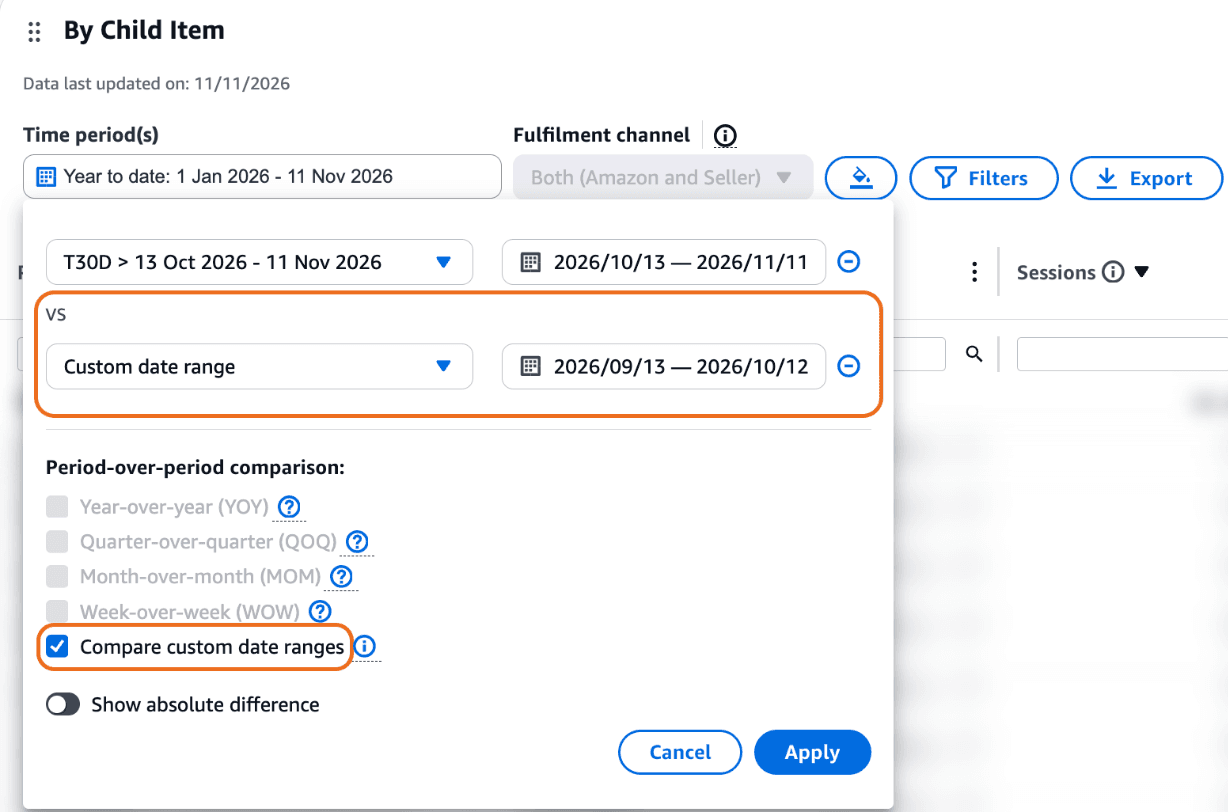
Seller Central now shows a notice that Business Reports will no longer be available by the end of the year, pointing you to Custom Analytics. Among the Amazon-curated dashboards you will find Detail Page Sales and Traffic: its By Child Item table shows sessions, units and Ordered revenue for each ASIN. In Time period(s) pick the period you want to check, click Comparison time period to add a second range under vs, and tick Compare custom date ranges. Each range can be up to 92 days long.
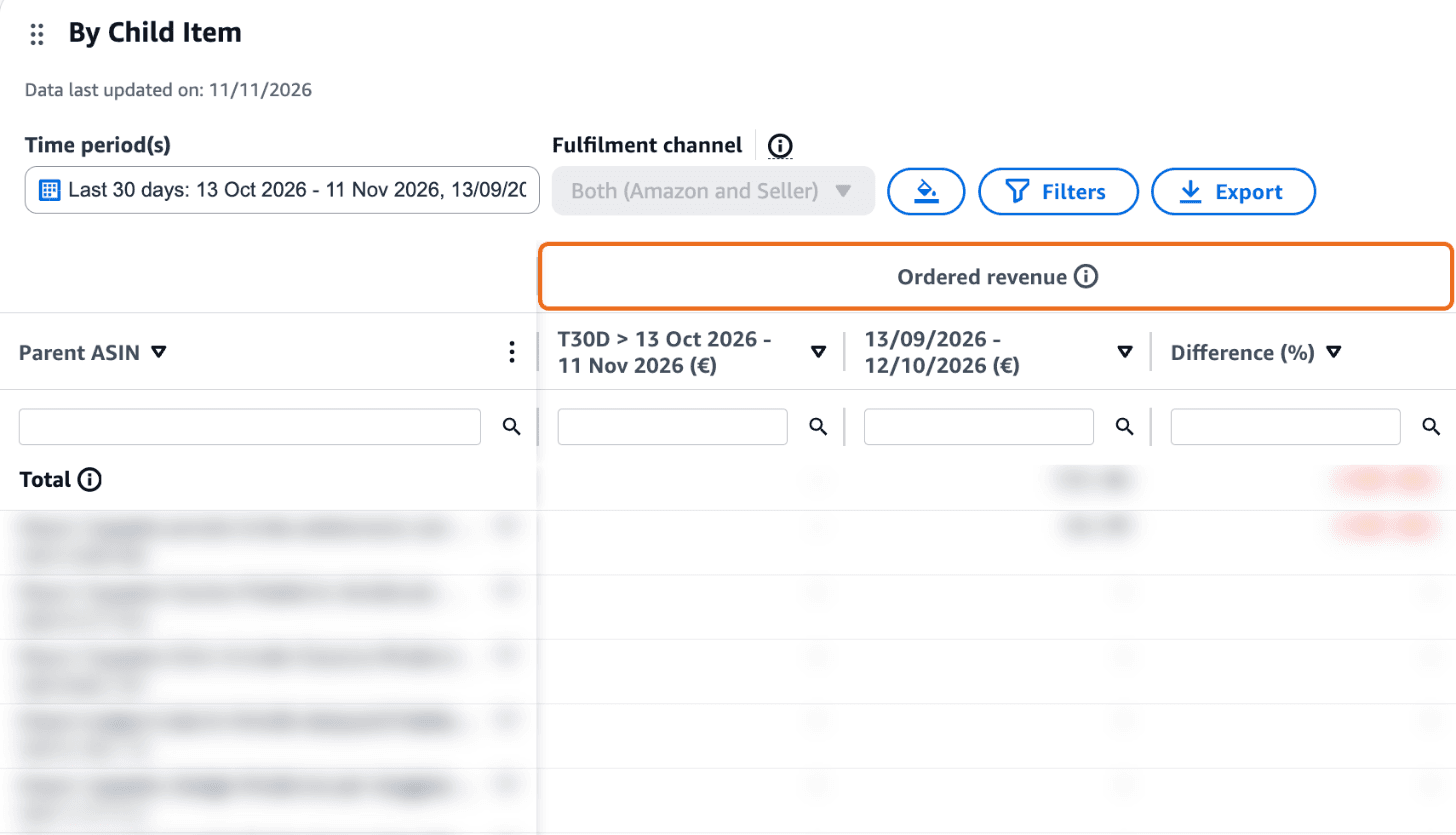
Once the comparison is applied, each metric splits into three columns: the chosen period, the comparison period and Difference (%). For this check you need the Ordered revenue group.
Then run the numbers for the same ASIN and the same two periods:
- The periods: the four weeks after you launched or increased the campaign and the four weeks before. Avoid comparisons where only one of the two periods has promotions, a different price or the product out of stock
- The total: the ASIN's Ordered revenue in both periods, from the table
- Advertising: the sales attributed to ads for the same ASIN, from the advertised product report in the advertising console
- Estimated organic: the total minus advertising
The result is an estimate. Amazon warns that attributed sales may not match sales reports because they are calculated differently: for example, VAT is subtracted and the sale is recorded on the date of the click. The numbers show you which way sales are moving.
An example with rounded numbers. In the four weeks before, you spend €600 on ads, the ads claim €3,000 and the product makes €12,000 in Ordered revenue, so organic is worth about €9,000. You launch a new campaign and in the four weeks after you spend €1,400, the ads claim €6,000 and the total reaches €12,300. ACOS goes from 20% to 23.3% and still looks acceptable. But organic has dropped to about €6,300, and €800 of extra spend brought €300 of extra sales. Spend over total sales, which many call TACOS, rose from 5% to 11.4%.
To know how far that spend can go, you also need the product's break-even ACOS.
Cut back and watch the total
A comparison between two periods is affected by season, prices and competitors. If you suspect a group of keywords, such as those containing your brand name, run a test: lower the bids or pause only that group for two or three weeks, without touching price, listing or other campaigns. Then compare the product's Ordered revenue with the weeks before.
- The total holds: that spend was buying sales you already had. Keep the bids low and move the budget to searches where you are not among the top results
- The total drops: the campaign was bringing extra customers. Compare the margin you lost with the spend you cut: if the lost margin is higher, the spend was paying off and it makes sense to switch it back on
- A competitor takes your place: if another brand's ad shows up at the top of searches for your brand, a low bid to hold the space can be worth it even if some of those sales were already yours
Pick ordinary weeks. In Custom Analytics the extended Black Friday and Cyber Monday 2026 period runs from 19 to 30 November, and in December Christmas shopping weighs heavily. A test run in those weeks measures the season more than the ads. After the test ends, also wait a week before reading attributed sales, because they stay incomplete until the lookback window closes.
What about the new Full-Funnel Campaigns?
On 29 September 2026 Amazon Ads announced Full-Funnel Campaigns: a single campaign with one budget that brings together sponsored ads, display, video and streaming TV, aiming to grow total sales. They run alongside your existing campaigns. The announcement describes them as an open beta and, under availability, lists only the United States. If they reach Europe, the check will be the same: a campaign that works together with others should be judged on the product's Ordered revenue, not on the sales it claims for itself.
If you want to run this check on your own campaigns with people who manage Amazon advertising every day, let's talk.