

Amazon Business orders you fulfil yourself can now ship on pallets in Italy, Germany, France, Spain and the UK. Business customers see the option at checkout only when the order has more than one unit, weighs at least 45 kg or takes up at least 0.28 cubic metres, and is going to a commercial address. You switch it on in your shipping template, with regions, transit times and rates you choose. If the customer picks it, the whole order has to ship on pallets.
Amazon announced it in the seller forum, in Italian, on 17 November 2026. According to the announcement the setting has been available since 7 October, and during the pilot 80% of Amazon Business customers offered the option chose it. Orders fulfilled by FBA are not affected.
Who it affects and who it doesn't
It matters for brands whose products businesses buy by the case, such as consumables, professional cleaning products, chemicals, spare parts, equipment and furniture. Orders like these clear the thresholds quickly. For a sense of scale, 0.28 cubic metres is roughly a cube 65 centimetres on each side.
If you sell only through FBA, there is nothing to do, because the change concerns seller-fulfilled orders. The same goes if your customers are almost all consumers, since a commercial address is required, or if your business orders are a few light items. To decide which products to ship yourself, our FBA vs FBM guide explains where each one works.
The rules to know before you switch it on
Amazon's help page on pallet delivery adds a few operational rules to the announcement:
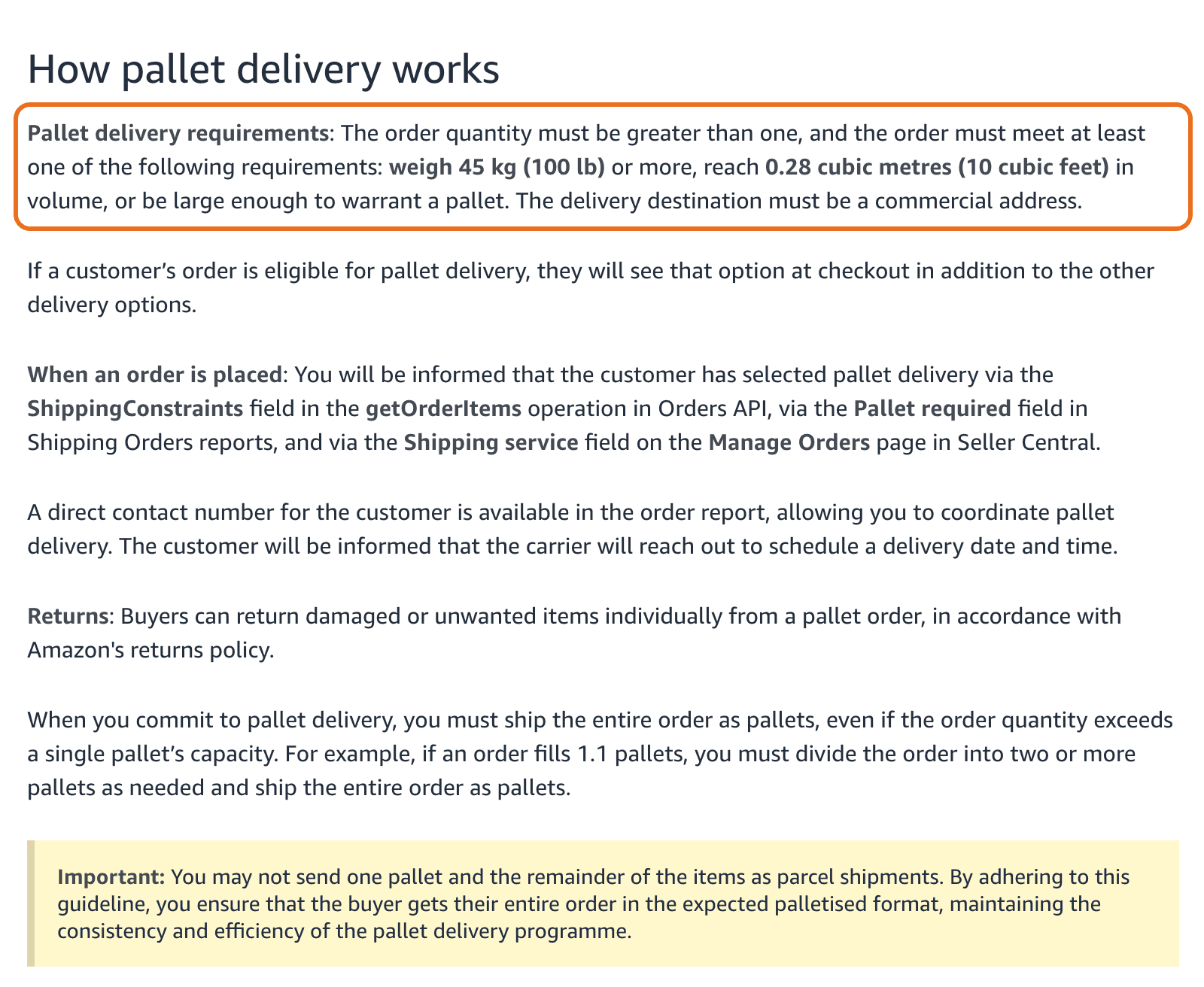
- Order requirements. More than one unit and at least one of these conditions: 45 kg or more, 0.28 cubic metres or more, or an order large enough to warrant a pallet. Delivery must go to a commercial address.
- Everything on pallets. If you have enabled pallet delivery and the customer picks it, the whole order ships as pallets, even when it exceeds one pallet's capacity. An order that fills 1.1 pallets has to be split over two or more, and you cannot send one pallet and the rest as parcels.
- Carriers. Pallet delivery requires freight carriers. Amazon recommends integrated carriers to keep a good valid tracking rate, and lists them on the Ship Confirmation page.
- Appointment. The order report includes a direct phone number for the customer so you can coordinate delivery. Amazon tells the customer that the carrier will get in touch to book a date and time.
- Returns. Customers can return individual damaged or unwanted items from a pallet order, in line with Amazon's returns policy.
How to enable it in Seller Central
From the settings menu, select Shipping settings and click Create new shipping template. You can create a new template or pick an existing freight shipping or parcel template, then click OK. In the template editor, tick the Pallet delivery check box and add regions, transit time and a shipping fee.
You can give pallet orders their own handling and transit times. Pallet-specific handling time goes under Handling time in your General Shipping settings. According to Amazon, pallet deliveries usually need longer handling times, and if you keep your parcel times you risk late deliveries that drag down your on-time delivery rate (OTDR). The separate times also feed into the estimated delivery date the customer sees before buying.
How to spot a pallet order
On Manage Orders, the order shows Pallet delivery under Order type, and the same value appears under Shipping service on the Order Details page. In Order Reports you need to enable the field first, under Pallet delivery in the Shipping constraints section, and it then appears in later downloads.
If your orders go through an order management or shipping tool connected via API, make sure it reads the PalletDelivery constraint Amazon adds to the getOrderItems response. Otherwise the order may leave the warehouse as an ordinary parcel, which breaks the whole-order rule.
When it pays off
Amazon presents pallet delivery as a way to cut shipping costs on large orders. The saving depends on your carrier. Before switching it on, ask what a pallet costs to the regions you want to cover, appointment delivery included, and compare it with the same order shipped as parcels. The fee you set in the template has to cover the pallet, or every large order eats into your margin. Shipping settings are part of our account management work.
According to Amazon, pallet delivery can lead customers to order more units per order. Amazon Business already gives you the tools to push in that direction, with business-only offers and quantity discounts. When the tiered discount rewards a full case or a full pallet and the goods arrive together, on a booked slot, a purchasing team has fewer reasons to split the order or buy elsewhere.
If you sell to businesses with your own fulfilment and want to know whether pallets fit your costs, let's talk.